Some handy little scripts I’ve written over the years. Mostly for my own reference, but happy to share with anyone who is interested!
Some need updating for the new versions on Nuke. Stay tuned!
Show all Plugin Paths
nuke.pluginPath()Random Card X Pos
import nuke
import random
for i in nuke.selectedNodes('Card2'):
	p = i['translate'].getValue()
	p = p[2]
	t = [random.randint(1,101),0,p]
i['translate'].setValue(t)Disable all but selected Write Nodes
import nuke
def write_off():
	nodeClasses = ['Write','WriteTank']
	this_write = [i for i in nuke.selectedNodes() if i.Class() in nodeClasses]
	those_writes = [i for i in nuke.allNodes() if i.Class() in nodeClasses]
	for i in those_writes:
		i['disable'].setValue(1)
	for i in this_write:
		i['disable'].setValue(0)
write_off()Label for the DeepWrite Node (callback – put in init.py)
def deepName():
    sel = nuke.selectedNode()
    Ftype = sel['file'].getValue()
    if sel.Class() == 'DeepWrite':
        Fname = Ftype
        Fname = os.path.basename(Fname)
        Fname = Fname.split('.')[0]
        sel['label'].setValue(Fname)
    elif sel.Class() != 'DeepWrite':
        Fname = ''
    else:
        pass
nuke.addKnobChanged(deepName, nodeClass="DeepWrite")Scale Transforms by 20%
def TransX(scaler):
	for i in nuke.selectedNodes('Transform'):
		ScaleX = i['scale'].getValue()
		ScaleX = ScaleX * scaler
		i['scale'].setValue(ScaleX)
TransX(1.2)Current frame on Frame Hold creation
Written by Frank Rueter from Nukepedia – add to menu.py
nuke.addOnUserCreate(lambda:nuke.thisNode()['first_frame'].setValue(nuke.frame()), nodeClass='FrameHold')Auto Create Directory
Written by Julien Chandelle from Nukepedia – add to menu.py
def CreatePath():
   file = nuke.filename(nuke.thisNode())
   dir = os.path.dirname(file)
   osdir = nuke.callbacks.filenameFilter(dir)
   try:
      os.makedirs (osdir)
   except OSError:
      pass

nuke.addBeforeRender(CreatePath, nodeClass = 'Write')Get Node Tile Colour
for i in nuke.selectedNodes():
        color = i['tile_color'].getValue()
print int(color)Convert Hex colours to Nuke script values
Sites like http://paletton.com/ have a great online picker tool

int('00ff0000', 16)PostageStamp tool 3
Same as the other one but detects anything named deNoise and changes the colour.
import nuke
import os

def postNamer():
    for i in nuke.selectedNodes('PostageStamp'):
        firstInput = i.input(0)
        if firstInput.Class() == 'Read':
            Fname = nuke.filename(firstInput)
            Fname = os.path.basename(Fname)
            Fname = Fname.split('.')[0]
            loName = Fname.lower()
        elif firstInput.Class() != 'Read':
            Fname = ''
        Ilabel = firstInput['label'].getValue()
        FiLabel = Fname + '  ' + Ilabel
        if firstInput is not None:
            i['label'].setValue(FiLabel)
            i['hide_input'].setValue(1)
            i['tile_color'].setValue(12345678910111213)
        elif firstInput is not None and 'denoise' in loName:
            i['tile_color'].setValue(888888)
        else:
            pass
#postNamer()GPU and Render setting dual state
A is the number in GPU version of Nuke and B is for Render only Nuke.

($gui?A:B)Time Offset value in Label (okay, it’s TCL)
[value this.time_offset]Disable ‘Bookmark’ in all Backdrop Nodes
for i in nuke.allNodes('BackdropNode'):
    try:
        i['bookmark'].setValue(0)
    except:
passRelative to Absolute file path converter
import nuke
import os
for i in nuke.selectedNodes():
    Fname = nuke.filename(i)
    try:
        i['file'].setValue(Fname)
    except:
passPostage stamp renamer
import nuke
import os

def postNamer():
    for i in nuke.selectedNodes('PostageStamp'):
        firstInput = i.input(0)
        if firstInput.Class() == 'Read':
            Fname = nuke.filename(firstInput)
            Fname = os.path.basename(Fname)
            Fname = Fname.split('.')[0]
        elif firstInput.Class() != 'Read':
            Fname = ''
        Ilabel = firstInput['label'].getValue()
        FiLabel = Fname + '  ' + Ilabel
        if firstInput is not None:
            i['label'].setValue(FiLabel)
            i['hide_input'].setValue(1)
            i['tile_color'].setValue(12345678910111213)
        else:
            pass
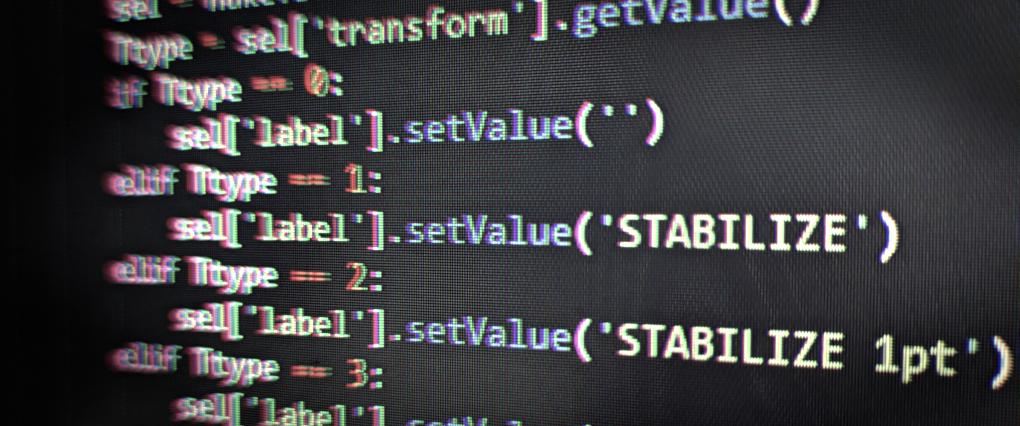
postNamer()Set Label in Tracker to current Transform Type (add to init.py)
def Tlabel():
    try:
        sel = nuke.selectedNode()
        Ttype = sel['transform'].getValue()
        if Ttype == 0:
            sel['label'].setValue('')
        elif Ttype == 1:
            sel['label'].setValue('STABILIZE')
        elif Ttype == 2:
            sel['label'].setValue('STABILIZE 1pt')
        elif Ttype == 3:
            sel['label'].setValue('MATCH-MOVE')
        elif Ttype == 4:
            sel['label'].setValue('MATCH-MOVE 1pt')
        elif Ttype == 5:
            sel['label'].setValue('REMOVE JITTER')
        elif Ttype == 6:
            sel['label'].setValue('ADD JITTER')
        else:
            pass
    except:
        pass
nuke.addKnobChanged(Tlabel, nodeClass="Tracker4")Delete everything except Read Nodes
for i in nuke.allNodes():
    if i.Class() != 'Read':
nuke.delete(i)Controls for enabling/disabling RSMB nodes in GUI and render
import nuke

def disableGui( nodetype ):
    for a in nodetype:
        a['disable'].setExpression('$gui')

def enableGui( nodetype ):
    for a in nodetype:
        a['disable'].clearAnimated()
        a['disable'].setValue(0)

def disableRender( nodetype ):
    for a in nodetype:
        a['disable'].clearAnimated()
        a['disable'].setValue(1)

def menu():
    nodeArray = []
    p = nuke.Panel('RSMB GUI controls')
    p.addEnumerationPulldown('RSMB GUI', 'Enabled Disabled_GUI Disabled_Render')
    p.addBooleanCheckBox('selected Nodes Only', False)
    p.show()

    if p.value('selected Nodes Only') == True:
        nodeArray = nuke.selectedNodes('OFXcom.revisionfx.rsmb_v3')
    else:
        nodeArray = nuke.allNodes('OFXcom.revisionfx.rsmb_v3')

    if p.value('RSMB GUI') == 'Enabled':
        enableGui( nodeArray )
    elif p.value('RSMB GUI') == 'Disabled_GUI':
        disableGui( nodeArray )
    elif p.value('RSMB GUI') == 'Disabled_Render':
        disableRender( nodeArray )
menu()Random colour on selected nodes (okay maybe not super useful but you never know!)
import random

def totesRandom():
    r = (float(random.randint( 20, 40)))/100
    g = (float(random.randint( 10, 50)))/100
    b = (float(random.randint( 15, 60)))/100
    hexColour = int('%02x%02x%02x%02x' % (r*255,g*255,b*255,1),16)
    hexColour = hexColour +11010000
    return hexColour

for a in nuke.selectedNodes():
a['tile_color'].setValue(totesRandom())Copy a ‘Read’ node path to clipboard from selection and convert it to work in Windows.
Now works with Nuke 11
import os
import nuke
try:
    nuke.NUKE_VERSION_MAJOR < 11
    import PySide.QtGui as QtGuiWidgets
except:
    nuke.NUKE_VERSION_MAJOR >= 11
    import PySide2.QtWidgets as QtGuiWidgets

def run():
    if len(nuke.selectedNodes()) == 1:
        clipboard = QtGui.QApplication.clipboard()
        if nuke.selectedNode().Class() == 'Read':
            readFile = nuke.selectedNode()['file'].getValue()
            readFile = readFile.replace ( '/' , '\\' )
            readpath = os.path.dirname(readFile)
            clipboard.setText(readpath) # set clipboard
    else:
nuke.message('Please select a read node')Determine Node Class
nuke.selectedNode().Class()Copy node label to other nodes(from first selected)
def copyLabel():
    sel = nuke.selectedNodes()
    first = sel.pop(-1)
    first = first['label'].getValue()
    for a in sel:
        a['label'].setValue(first)
    print first
copyLabel()Reload all ‘Read’ nodes
for a in nuke.allNodes('Read'):
a['reload'].execute()Disable RotoPaint Nodes in GUI
if nuke.ask('Disable all RotoPaint Nodes GUI?'):
    for a in nuke.allNodes('RotoPaint'):
a['disable'].setExpression('$gui')Inherit tile colour from connected node
for i in nuke.selectedNodes():
        firstInput = i.input(0)
        color = firstInput['tile_color'].getValue()
        if firstInput is not None:
            i['tile_color'].setValue(int(color))
        else:
passSet before and after to ‘Black’ on all selected read nodes
for a in nuke.selectedNodes('Read'):
    a['before'].setValue('black')
a['after'].setValue('black')Print a list of the details of all selected Read nodes
for a in nuke.selectedNodes():
    if 'Read' in a['name'].value():
print a['file'].value()Delete all disabled nodes
for a in nuke.allNodes():
    if 'disable' in a.knobs():
        if a['disable'].value():
nuke.delete(a)Instance expressions to other nodes based on selection(select linked expression node first)
def exprCopy():
    selection = nuke.selectedNodes()
    master = selection.pop(-1)
    for name, knob in master.knobs().items():
        if knob.hasExpression():
            for select in selection:
                target = select.knobs().get(name)
                if target and (target.Class() == knob.Class()):
                    target.fromScript(knob.toScript(False))

exprCopy()Set frame range to selected ‘Write’ nodes from 1-170 frames:
for a in nuke.selectedNodes('Write'):
    a['use_limit'].setValue(1)
    a['first'].setValue(1)
a['last'].setValue(170)Set blur size on all selected ‘Blur’ nodes to match first selected ‘Blur’ Node (and it’s node colour):
def copyBlur():
  selection = nuke.selectedNodes()
  master = selection[-1]
  for i in selection:
    if i.Class() =='Blur':
        i.knob('tile_color').setValue(master.knob('tile_color').value())
        i.knob('size').setValue(master.knob('size').value())

copyBlur()Copy colour from ‘Backdrop Node’ to other selected
def copyColor():
  selection = nuke.selectedNodes()
  master = selection[-1]
  for i in selection:
    if i.Class() =='BackdropNode':
        i.knob('tile_color').setValue(master.knob('tile_color').value())

copyColor()Set ‘clip to’ to ‘bbox’ for selected ‘Roto’ nodes:
for a in nuke.selectedNodes('Roto'):
    a['cliptype'].setValue(1)
Leave a Reply